
€8.85
Repair Parts
There are 10001 products.
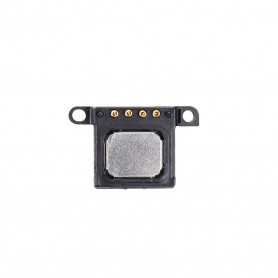
Ecouteur Interne du Haut iPhone 6
186 In-stock
Cet écouteur interne se place en haut de l'écran de l'iPhone 6. Il permet de résoudre le problème suivant : vous ne parvenez pas à entendre votre interlocuteur lors de vos communications. Cette pièce détachée pour iPhone est simple à changer soi-même, elle s'emboîte dans l'écran.
Le temps nécessaire à effectuer cette réparation est d'environ 30 minutes.
EAN:6984377851257
Le temps nécessaire à effectuer cette réparation est d'environ 30 minutes.
EAN:6984377851257
€0.75
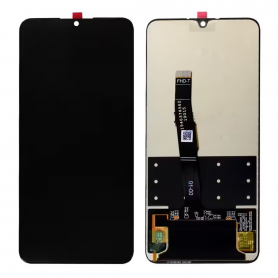
Screen Huawei P30 Lite / Nova 4E / P30 Lite New Edition Black Without Frame (Original Pack)
106 In-stock
La garantie pour cette qualité s`applique uniquement avant l`installation (avant d`appliquer la colle)
€20.21
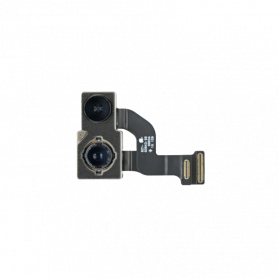
Caméra arrière iPhone 12 (Original Refurbished)
185 In-stock
€16.74
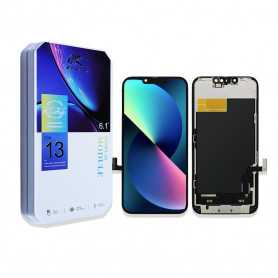
Screen iPhone 13 (LTPS) JK - Support IC Change - FHD1080p
105 In-stock
Avantages
LTPS
TFT
OLED
Pixel resolution
FHD1080p Comme l`original
HD 720p
Comme l`original
Consommation d`énergie
Économie d`énergie de 10 % par rapport à la qualité TFT
Consommation d`énergie normale
Économie d`énergie de 20 % par rapport à la qualité TFT.
Temps de réponse
Réponse rapide
Réponse normale
Réponse comme l`original
Qualité d`image
Haute qualité d`image avec des couleurs vives.
Affichage normal
Couleurs plus vives, noirs parfaits.
Coût
Excellente qualité et coût.
Meilleur coût
Coût de production en baisse constante.
Commentaires après-vente
Taux de SAV 0.1 %
Taux de SAV 0.3 %
Taux de SAV 0.2 %
Épaisseur du téléphone avec écran (7.65 mm d`origine)
7.75 mm
7.80 mm
7.65 mm
€22.59
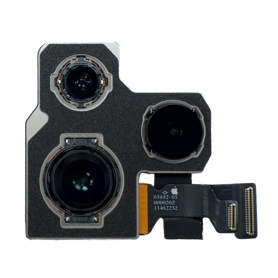
€51.00
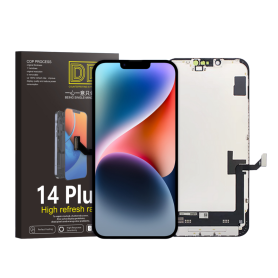
€51.89
![[Chassis, Frame] - iPhone 15 Pro Chassis without Rear Glass without Battery Titanium Black (Original Disassembled) Grade A, whol](https://www.stockmalin.com/123906-home_default/iphone-15-pro-chassis-without-rear-glass-without-battery-titanium-black-original-disassembled-grade-a.jpg "iPhone 15 Pro Chassis without Rear Glass without Battery Titanium Black (Original Disassembled) Grade A")
iPhone 15 Pro Chassis without Rear Glass without Battery Titanium Black (Original Disassembled) Grade A
179 In-stock
Key Features of iPhone 15 Pro Chassis without Rear Glass and Battery - Titanium Black (Original Disassembled) Grade A
Premium Material:
Crafted from high-quality titanium, the chassis is both lightweight and exceptionally durable, offering superior strength compared to traditional materials used in smartphone frames.
Original Disassembled Part:
Sourced from genuine iPhone 15 Pro units, this part ensures perfect compatibility and maintains the integrity of your device without any compromise on quality.
Grade A Condition:
This chassis is in Grade A condition, reflecting minimal signs of wear and maintaining the original appearance and finish, ideal for refurbishments and repairs.
Precision Engineering:
Designed with meticulous precision to fit seamlessly with other components of the iPhone 15 Pro, ensuring hassle-free installation and structural integrity.
Titanium Black Finish:
The sleek titanium black finish adds a sophisticated touch to your device, enhancing aesthetics while offering excellent resistance to fingerprints and smudges.
Enhanced Protection:
Provides robust protection for the internal components of your iPhone 15 Pro, safeguarding against bends and impacts, contributing to the overall longevity of the device.
Sustainability:
By opting for disassembled and reusable parts, this chassis supports sustainability and environmental responsibility, reducing electronic waste.
Repair-Friendly:
Essential for repair technicians and DIY enthusiasts aiming to restore their iPhone 15 Pro to factory condition without compromising on quality or performance.
Note: This chassis does not include the rear glass or battery, which should be purchased separately to complete the assembly. Ideal for users who require specific replacements due to damage or wear to their original device.
Premium Material:
Crafted from high-quality titanium, the chassis is both lightweight and exceptionally durable, offering superior strength compared to traditional materials used in smartphone frames.
Original Disassembled Part:
Sourced from genuine iPhone 15 Pro units, this part ensures perfect compatibility and maintains the integrity of your device without any compromise on quality.
Grade A Condition:
This chassis is in Grade A condition, reflecting minimal signs of wear and maintaining the original appearance and finish, ideal for refurbishments and repairs.
Precision Engineering:
Designed with meticulous precision to fit seamlessly with other components of the iPhone 15 Pro, ensuring hassle-free installation and structural integrity.
Titanium Black Finish:
The sleek titanium black finish adds a sophisticated touch to your device, enhancing aesthetics while offering excellent resistance to fingerprints and smudges.
Enhanced Protection:
Provides robust protection for the internal components of your iPhone 15 Pro, safeguarding against bends and impacts, contributing to the overall longevity of the device.
Sustainability:
By opting for disassembled and reusable parts, this chassis supports sustainability and environmental responsibility, reducing electronic waste.
Repair-Friendly:
Essential for repair technicians and DIY enthusiasts aiming to restore their iPhone 15 Pro to factory condition without compromising on quality or performance.
Note: This chassis does not include the rear glass or battery, which should be purchased separately to complete the assembly. Ideal for users who require specific replacements due to damage or wear to their original device.
€108.00
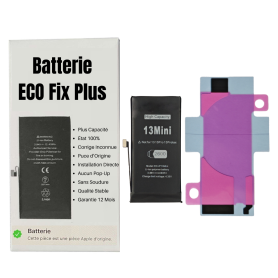
Battery iPhone 13 mini (ECO Fix Plus) 130% Plus Durable - No Pop-up / Health 100%
118 In-stock
Use Repair Assistant to Finish an iPhone or iPad Repair
This Battery Without Logo
On an iPhone 12 or later running iOS 18, when a new Apple battery is installed,“Finish Repair” will appear next to Battery until you complete the repair using the Repair Assistant.
On an iPhone 12 or later running iOS 18, it is possible to reuse an original Apple battery on another iPhone of the same model.
The date of first use, capacity, and cycle count of your battery can be found in Settings > Battery > Battery Health.
How to Run Diagnostics & Finish Repair for iPhone Battery
1. Ensure your device is updated to iOS 18
2. Go to Settings > General > About > Parts & Service History
3. Tap "Restart & Finish Repair" to activate the Repair Assistant
4. Follow the on-screen instructions to complete the calibration
After completing this process, your battery will display 100% health, and there will be no pop-up warning about non-genuine parts.
Important Notes:
Your iPhone must be connected to Wi-Fi
Your battery level should be above 20%
If the process fails, restart your device and try again
If the repair is not completed, the battery may not function optimally, and some features (Face ID, Touch ID) may be disabled until calibration is finalized
€16.35
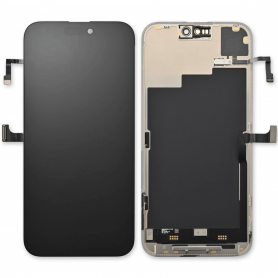
Screen iPhone 16 (Original Disassembled) - Grade A
118 In-stock
€223.20
€31.73
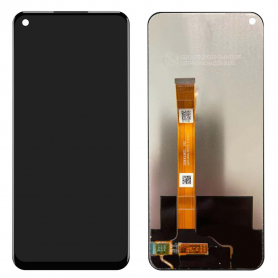
Screen OPPO A74 5G / A54 5G (2021) Without Frame (Original Pack)
116 In-stock
La garantie pour cette qualité s`applique uniquement avant l`installation (avant d`appliquer la colle)
€17.46
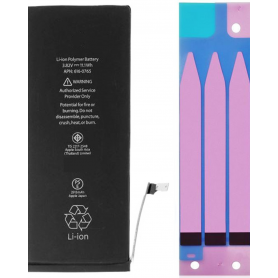
Battery iPhone 6S Plus with Adhesives - Pure Cobalt (ECO Ti)
115 In-stock
Batterie pour iPhone 6S Plus. Cette pièce détachée vous permettra de remplacer facilement & rapidement la batterie de votre iPhone 6S Plus.
EAN:6943948193493
EAN:6943948193493
€5.85
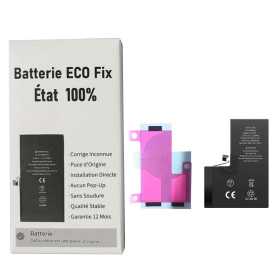
Battery iPhone 14 Pro (ECO Fix) Direct Installation - No Pop-up / Health 100%
114 In-stock
Use Repair Assistant to Finish an iPhone or iPad Repair
This Battery Without Logo
On an iPhone 12 or later running iOS 18, when a new Apple battery is installed, “Finish Repair” will appear next to Battery until you complete the repair using the Repair Assistant.
On an iPhone 12 or later running iOS 18, it is possible to reuse an original Apple battery on another iPhone of the same model.
The date of first use, capacity, and cycle count of your battery can be found in Settings > Battery > Battery Health.
How to Run Diagnostics & Finish Repair for iPhone Battery
1. Ensure your device is updated to iOS 18
2. Go to Settings > General > About > Parts & Service History
3. Tap "Restart & Finish Repair" to activate the Repair Assistant
4. Follow the on-screen instructions to complete the calibration
After completing this process, your battery will display 100% health, and there will be no pop-up warning about non-genuine parts.
Important Notes:
Your iPhone must be connected to Wi-Fi
Your battery level should be above 20%
If the process fails, restart your device and try again
If the repair is not completed, the battery may not function optimally, and some features (Face ID, Touch ID) may be disabled until calibration is finalized
€13.35
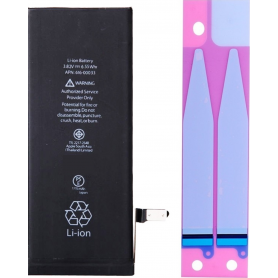
Battery iPhone 6 with Adhesives - Pure Cobalt (ECO Ti)
114 In-stock
Batterie pour iPhone 6. Cette pièce détachée vous permettra de remplacer facilement & rapidement la batterie de votre iPhone 6.
EAN:7371101080448
EAN:7371101080448
€4.35
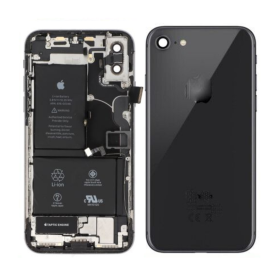
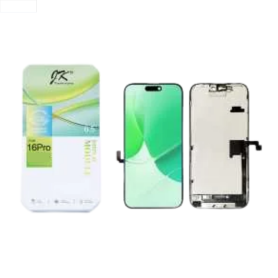
Screen iPhone 16 Pro (LTPS) JK - COF - FHD1080p
97 In-stock
Key Features of Screen iPhone 16 Pro (LTPS) JK - COF - FHD1080p:
Advanced LTPS Technology: The iPhone 16 Pro screen utilizes Low-Temperature Polycrystalline Silicon (LTPS) technology, offering superior efficiency and higher pixel densities. This results in crisp, vibrant visuals with excellent color accuracy and finer detail representation.
Full HD 1080p Resolution: Experience stunning clarity and sharpness with the FHD1080p resolution. This screen provides excellent visual performance for gaming, streaming, and everyday use, delivering immersive, true-to-life visual experiences.
Chip-on-Film (COF) Assembly: The COF assembly ensures a slim, lightweight design while enhancing display reliability and reducing the overall form factor of the device. This cutting-edge integration contributes to a seamless, edge-to-edge viewing experience.
Enhanced Brightness and Contrast: The display offers high brightness levels and impressive contrast ratios. Whether in bright sunlight or dim environments, the screen adapts to provide the best possible visual experience, maintaining vibrant colors and deep blacks.
Wide Color Gamut and True Tone Technology: The screen supports a wide color gamut and True Tone technology, adjusting the white balance to match the surrounding light for consistent viewing comfort, protecting eyes from strain and enhancing color fidelity.
Durable and Scratch-Resistant: Designed with durability in mind, the iPhone 16 Pro screen is equipped with advanced coatings that provide resistance to scratches, smudges, and minor impacts, ensuring longevity and preserving clarity.
Responsive Touch Sensitivity: Enjoy ultra-responsive touch sensitivity, ideal for precision tasks and smooth, effortless navigation, enhancing overall user interaction and efficiency.
Environmentally Friendly Production: The manufacturing process of the screen is aligned with environmental standards, reducing ecological impact while maintaining top-tier performance and quality.
Advanced LTPS Technology: The iPhone 16 Pro screen utilizes Low-Temperature Polycrystalline Silicon (LTPS) technology, offering superior efficiency and higher pixel densities. This results in crisp, vibrant visuals with excellent color accuracy and finer detail representation.
Full HD 1080p Resolution: Experience stunning clarity and sharpness with the FHD1080p resolution. This screen provides excellent visual performance for gaming, streaming, and everyday use, delivering immersive, true-to-life visual experiences.
Chip-on-Film (COF) Assembly: The COF assembly ensures a slim, lightweight design while enhancing display reliability and reducing the overall form factor of the device. This cutting-edge integration contributes to a seamless, edge-to-edge viewing experience.
Enhanced Brightness and Contrast: The display offers high brightness levels and impressive contrast ratios. Whether in bright sunlight or dim environments, the screen adapts to provide the best possible visual experience, maintaining vibrant colors and deep blacks.
Wide Color Gamut and True Tone Technology: The screen supports a wide color gamut and True Tone technology, adjusting the white balance to match the surrounding light for consistent viewing comfort, protecting eyes from strain and enhancing color fidelity.
Durable and Scratch-Resistant: Designed with durability in mind, the iPhone 16 Pro screen is equipped with advanced coatings that provide resistance to scratches, smudges, and minor impacts, ensuring longevity and preserving clarity.
Responsive Touch Sensitivity: Enjoy ultra-responsive touch sensitivity, ideal for precision tasks and smooth, effortless navigation, enhancing overall user interaction and efficiency.
Environmentally Friendly Production: The manufacturing process of the screen is aligned with environmental standards, reducing ecological impact while maintaining top-tier performance and quality.
€83.53
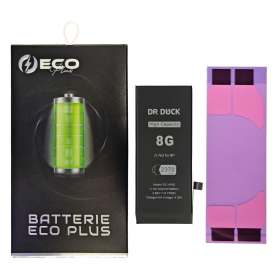
€8.25
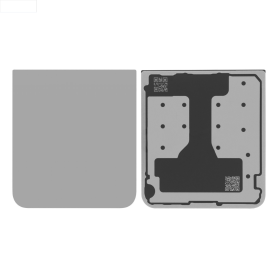
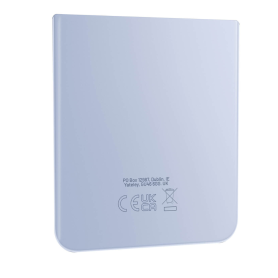
Samsung Galaxy Z Flip 6 (F741) Grey Lower Back Glass (Original Disassembled) - Grade A
168 In-stock
Product Name: Samsung Galaxy Z Flip 6 (F741) Grey Lower Back Glass (Original Disassembled) - Grade A
Key Features:
Authentic Original Part: This lower back glass is an original component designed specifically for the Samsung Galaxy Z Flip 6 (F741), ensuring perfect compatibility and functionality.
Premium Grade A Quality: Classified as Grade A, this back glass offers superior quality with no visible scratches or imperfections, maintaining the aesthetic integrity of your device.
Stylish Grey Finish: The sleek grey color complements the sophisticated design of your Galaxy Z Flip 6, adding a touch of elegance and modernity.
Durable Construction: Crafted from high-quality materials, this back glass is designed to withstand everyday wear and tear, providing long-lasting protection for your device.
Easy Installation: As an original disassembled part, it is straightforward to install, allowing for a hassle-free replacement process that's ideal for both DIY enthusiasts and professional technicians.
Seamless Fit: Engineered to align perfectly with the factory specifications, ensuring a snug fit that preserves the structural integrity and waterproof capabilities of your phone.
Cost-Effective Repair Solution: Offers a practical and economical option for restoring your phone to its original look and functionality without the need for a full device replacement.
Eco-Friendly Choice: Utilizing disassembled parts helps reduce electronic waste, making it a responsible choice for environmentally conscious consumers.
Key Features:
Authentic Original Part: This lower back glass is an original component designed specifically for the Samsung Galaxy Z Flip 6 (F741), ensuring perfect compatibility and functionality.
Premium Grade A Quality: Classified as Grade A, this back glass offers superior quality with no visible scratches or imperfections, maintaining the aesthetic integrity of your device.
Stylish Grey Finish: The sleek grey color complements the sophisticated design of your Galaxy Z Flip 6, adding a touch of elegance and modernity.
Durable Construction: Crafted from high-quality materials, this back glass is designed to withstand everyday wear and tear, providing long-lasting protection for your device.
Easy Installation: As an original disassembled part, it is straightforward to install, allowing for a hassle-free replacement process that's ideal for both DIY enthusiasts and professional technicians.
Seamless Fit: Engineered to align perfectly with the factory specifications, ensuring a snug fit that preserves the structural integrity and waterproof capabilities of your phone.
Cost-Effective Repair Solution: Offers a practical and economical option for restoring your phone to its original look and functionality without the need for a full device replacement.
Eco-Friendly Choice: Utilizing disassembled parts helps reduce electronic waste, making it a responsible choice for environmentally conscious consumers.
€7.20
€84.70
€53.06
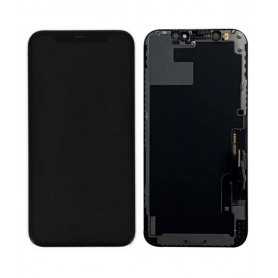
Screen iPhone 12 / 12 Pro (Original Refurbished)
96 In-stock
€59.85
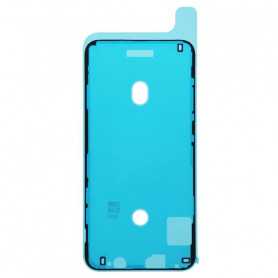
Waterproof Adhesive Sticker iPhone 11 Pro Max
168 In-stock
Adhesif Waterproof Joint d'Etanchéité pour Ecran iPhone 11 Pro Max
€0.50

Screen iPhone 11 (in-cell) HD720p - Support IC Change
112 In-stock
Les écrans (In-cell) sont révolutionnaires dans le sens où ils combinent un numériseur, utilisent une entrée tactile et intègrent un écran LCD dans un écran monocouche. Certains rapports suggèrent également que les écrans à technologie (In-cell) offrent une meilleure résolution par rapport aux écrans LCD standard
€11.85
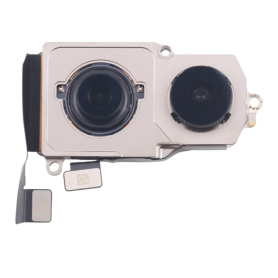
iPhone 16 Rear Camera (Original Disassembled)
166 In-stock
€42.00
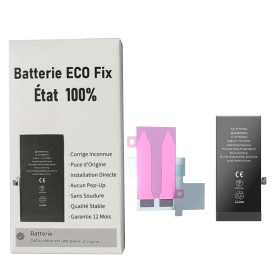
Battery iPhone 15 Plus (ECO Fix) Direct Installation - No Pop-up / Health 100%
110 In-stock
Use Repair Assistant to Finish an iPhone or iPad Repair
This Battery Without Logo
On an iPhone 12 or later running iOS 18, when a new Apple battery is installed, “Finish Repair” will appear next to Battery until you complete the repair using the Repair Assistant.
On an iPhone 12 or later running iOS 18, it is possible to reuse an original Apple battery on another iPhone of the same model.
The date of first use, capacity, and cycle count of your battery can be found in Settings > Battery > Battery Health.
How to Run Diagnostics & Finish Repair for iPhone Battery
1. Ensure your device is updated to iOS 18
2. Go to Settings > General > About > Parts & Service History
3. Tap "Restart & Finish Repair" to activate the Repair Assistant
4. Follow the on-screen instructions to complete the calibration
After completing this process, your battery will display 100% health, and there will be no pop-up warning about non-genuine parts.
Important Notes:
Your iPhone must be connected to Wi-Fi
Your battery level should be above 20%
If the process fails, restart your device and try again
If the repair is not completed, the battery may not function optimally, and some features (Face ID, Touch ID) may be disabled until calibration is finalized
€13.35
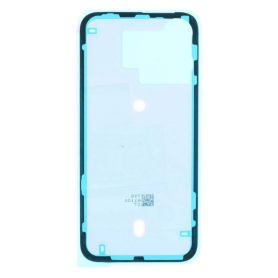
IPhone 15 Pro Max Exterior Rear Glass Adhesive
162 In-stock
€0.32
€17.16
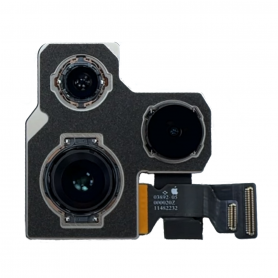
Rear Camera iPhone 14 Pro (Original Disassembled)
162 In-stock
€52.50

iPhone 13 Black Complete Chassis - Charging Connector + Without Battery (Original Disassembled) - Broken
161 In-stock
Key Features of iPhone 13 Black Complete Chassis - Charging Connector + Without Battery (Original Disassembled) - Broken
Authentic Material: Constructed from original, high-quality materials, this disassembled chassis ensures compatibility and maintains the premium feel associated with the iPhone brand.
Comprehensive Chassis Set: Includes a complete outer casing for the iPhone 13 in a sleek black finish, perfect for replacing damaged or worn-out exteriors while keeping your device looking as good as new.
Integrated Charging Connector: Comes with an integrated, original charging connector, ensuring optimal charging efficiency and reliable connectivity. This is crucial for users experiencing charging issues with their current setup.
Precision Engineering: Designed to the exact specifications of the iPhone 13, offering precise cutouts and fittings for all buttons, ports, and other components. This ensures seamless integration with existing hardware.
Without Battery: Please note, the chassis does not include a battery, providing flexibility for customers who wish to source a battery separately or use a previously purchased one.
Repair-Ready: Ideal for repairs or restoration projects, especially for technicians or hands-on users looking to revive an iPhone 13 device with its original parts.
Cost-Effective Solution: Offers a budget-friendly alternative to purchasing a brand new iPhone, allowing users to extend the lifespan of their current device without the higher costs.
Eco-Friendly Choice: Contributes to reducing electronic waste by allowing users to recycle and refurbish their existing devices rather than discarding them.
Note: Since this is a broken, disassembled unit, it is recommended for users who have technical skills or for professional repair services. It's important to ensure you have the necessary tools and expertise to complete the assembly and repair process correctly.
Authentic Material: Constructed from original, high-quality materials, this disassembled chassis ensures compatibility and maintains the premium feel associated with the iPhone brand.
Comprehensive Chassis Set: Includes a complete outer casing for the iPhone 13 in a sleek black finish, perfect for replacing damaged or worn-out exteriors while keeping your device looking as good as new.
Integrated Charging Connector: Comes with an integrated, original charging connector, ensuring optimal charging efficiency and reliable connectivity. This is crucial for users experiencing charging issues with their current setup.
Precision Engineering: Designed to the exact specifications of the iPhone 13, offering precise cutouts and fittings for all buttons, ports, and other components. This ensures seamless integration with existing hardware.
Without Battery: Please note, the chassis does not include a battery, providing flexibility for customers who wish to source a battery separately or use a previously purchased one.
Repair-Ready: Ideal for repairs or restoration projects, especially for technicians or hands-on users looking to revive an iPhone 13 device with its original parts.
Cost-Effective Solution: Offers a budget-friendly alternative to purchasing a brand new iPhone, allowing users to extend the lifespan of their current device without the higher costs.
Eco-Friendly Choice: Contributes to reducing electronic waste by allowing users to recycle and refurbish their existing devices rather than discarding them.
Note: Since this is a broken, disassembled unit, it is recommended for users who have technical skills or for professional repair services. It's important to ensure you have the necessary tools and expertise to complete the assembly and repair process correctly.
€30.24
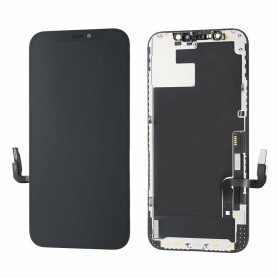
Screen iPhone 13 Pro (Original Refurbished)
107 In-stock
€105.00

Verre Trempé HD - SAMSUNG Galaxy Grand 2 3 Prime Plus Pro
33 In-stock
Film de protection en verre trempé Avec Emballage
Anti-Traces
Anti-Brisures
Ultra résistant : 9H
Facile à poser (pas de bulles)
Ecran HD
EAN:6165439018461
Anti-Traces
Anti-Brisures
Ultra résistant : 9H
Facile à poser (pas de bulles)
Ecran HD
EAN:6165439018461
€0.59
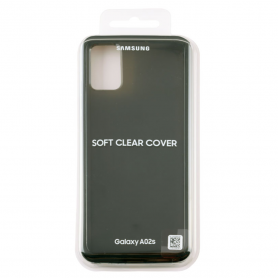
Samsung Galaxy A02s / A03s Protective Case (SAMSUNG)
313 In-stock
€0.37
€7.35
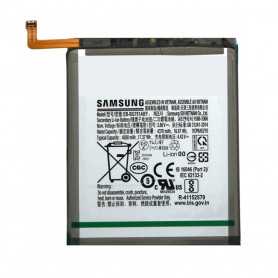
Battery EB-BG781ABY Samsung Galaxy S20 FE/A52/A52S (G780/G781/A525F/A526B/A528B)
104 In-stock
Batterie EB-BG781ABY Samsung Galaxy S20 FE / A52 (G780/G781/A525F/A526B) (Origine Demonté)
€7.72
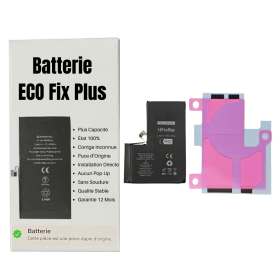
Battery iPhone 14 Pro Max (ECO Fix Plus) 130% Plus Durable - No Pop-up / Health 100%
102 In-stock
Use Repair Assistant to Finish an iPhone or iPad Repair
This Battery Without Logo
On an iPhone 12 or later running iOS 18, when a new Apple battery is installed,“Finish Repair” will appear next to Battery until you complete the repair using the Repair Assistant.
On an iPhone 12 or later running iOS 18, it is possible to reuse an original Apple battery on another iPhone of the same model.
The date of first use, capacity, and cycle count of your battery can be found in Settings > Battery > Battery Health.
How to Run Diagnostics & Finish Repair for iPhone Battery
1. Ensure your device is updated to iOS 18
2. Go to Settings > General > About > Parts & Service History
3. Tap "Restart & Finish Repair" to activate the Repair Assistant
4. Follow the on-screen instructions to complete the calibration
After completing this process, your battery will display 100% health, and there will be no pop-up warning about non-genuine parts.
Important Notes:
Your iPhone must be connected to Wi-Fi
Your battery level should be above 20%
If the process fails, restart your device and try again
If the repair is not completed, the battery may not function optimally, and some features (Face ID, Touch ID) may be disabled until calibration is finalized
€25.35