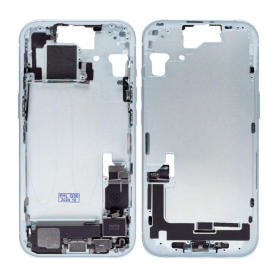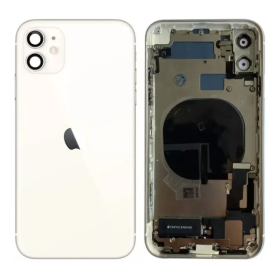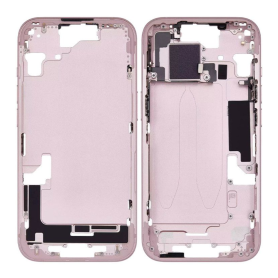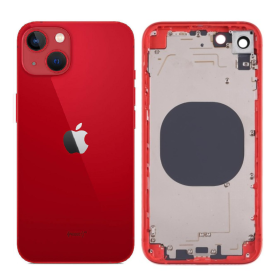

Pièces détachées pour iPhone : iPhone 4 4S iPhone 5 5S 5C iPhone 6 6S

iPhone

Tous types de pièces détachées pour iPhone. Tels que les écrans et les batteries pour votre smartphone. On propose également la vente d'outils afin de réparer vous-même votre terminal Apple.

Out-of-Stock
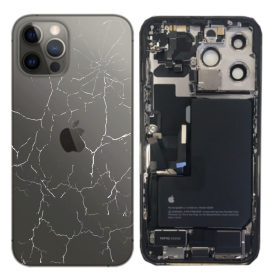
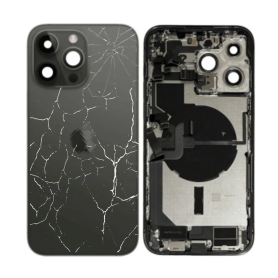
Full Chassis iPhone 14 Pro Black - Charging Connector without Battery (Original Disassembled) - Broken
Out-of-Stock
Key Features of Full Chassis iPhone 14 Pro Black - Charging Connector Battery (Original Disassembled) - Broken:


Original Components:

The product includes original parts from a disassembled iPhone 14 Pro, ensuring authenticity and compatibility with existing devices.


Full Chassis Assembly:

Encompasses the complete outer frame, providing foundational support for the internal components.
Ideal for refurbishing projects or repairing devices with structural damage.


Charging Connector:

Incorporates the original charging connector, ensuring a reliable connection for power and data transfer.
Maintains compatibility with iPhone 14 Pro charging requirements and data transfer standards.


Battery:

Features the original battery specifically designed for the iPhone 14 Pro, promising compatibility and performance consistent with the device's specifications.


Color & Finish:

Boasts a sleek black finish that matches the aesthetic of the iPhone 14 Pro, making it suitable for refurbishing or color-matching repairs.


Broken Condition:

Note that the product is sold as broken, meaning some components may be damaged or non-functional and require repair or replacement.
It is best suited for those with technical expertise in phone repairs or those sourcing parts for experimentation or learning purposes.


Repair and Customization Potential:

Offers potential for repairs, part replacements, or customization projects under professional guidance.
Perfect for tech enthusiasts or professionals looking to salvage usable parts for repairs or innovation.


Sustainability Aspect:

Promotes environmentally responsible practices by encouraging the reuse and recycling of electronic components.


This product is targeted at skilled technicians and DIY enthusiasts who are experienced in phone repairs, providing them with a valuable resource for parts and innovative projects.
Out-of-Stock
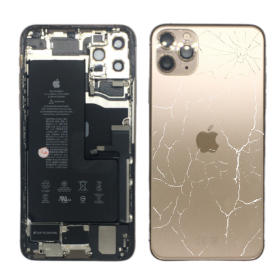
Back Cover Housing iPhone 11 Pro Gold - Charging Connector Battery (Original Disassembled) - Broken
Out-of-Stock
Key Features of the Back Cover Housing iPhone 11 Pro Gold - Charging Connector Battery (Original Disassembled) - Broken:


Authentic Design: This back cover housing is an original disassembled part, offering the same aesthetics and quality as the factory-assembled iPhone 11 Pro Gold. It incorporates Apple's authentic gold finish, providing an elegant and seamless appearance once installed.


Genuine OEM Part: As an original equipment manufacturer (OEM) component, this back cover ensures compatibility and performance, guaranteeing that your device maintains its original integrity and functionality.


Premium Materials: Constructed from durable, high-quality materials that match Apple’s standards, offering resilience and longevity to withstand daily use and external impacts.

Out-of-Stock
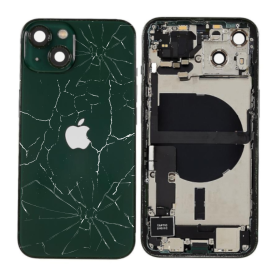
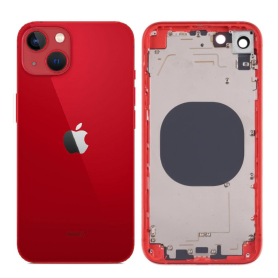
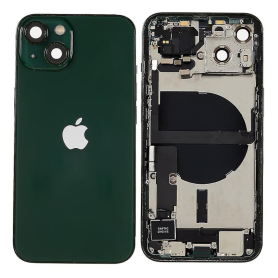
iPhone 13 mini Green Chassis without Battery - (Original Disassembled) - Broken
Out-of-Stock
Key Features of iPhone 13 Mini Green Chassis without Battery - (Original Disassembled) - Broken


Original Apple Design:

Genuine iPhone 13 Mini chassis in a striking green color, offering an authentic look and feel as designed by Apple.


Compact and Lightweight:

As part of the iPhone 13 Mini series, this chassis is designed to support a compact form factor without compromising on style, making it easy to carry and handle.


Premium Build Quality:

Constructed with durable materials, maintaining Apple's commitment to high-quality manufacturing standards, even in a disassembled state.


Disassembled & Repair-Ready:

This product comes without a battery and is part of a disassembled series, making it ideal for parts replacements, repairs, customization projects, or educational purposes.


Eco-Friendly Option:

Encourages recycling and repurposing of electronic components, reducing environmental impact by extending the life cycle of existing materials.


Cost-Effective Solution:

Offers an affordable alternative for sourcing original parts from a deconstructed iPhone 13 Mini, particularly for those skilled in phone repairs.


Unique Green Finish:

Eye-catching green hue provides a distinctive aesthetic, ideal for personalization projects or replacing damaged parts with an original yet unique look.


Versatile Utilization:

Suitable for various applications including DIY projects, specialized repairs, or as an educational tool for those learning about smartphone architecture.


Genuine Apple Parts Assurance:

Confidence in utilizing original Apple components that ensure compatibility and fit, aligning perfectly with other iPhone 13 Mini parts.


Please note that since the product is broken and disassembled, some parts may show signs of wear or damage, making it crucial to assess compatibility and functionality based on specific needs.
Out-of-Stock
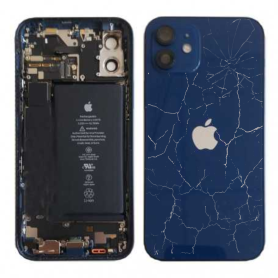
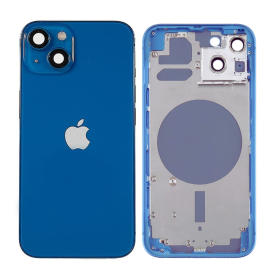
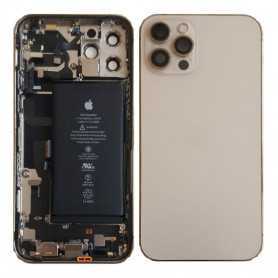
iPhone 12 Blue Complete Chassis - Charging Connector + Battery (Original Disassembled) Broken Rear Glass
Out-of-Stock
Key Features of iPhone 12 Blue Complete Chassis: Charging Connector + Battery (Original Disassembled) - Broken Rear Glass


Original Parts: This product features original, disassembled components from an iPhone 12, ensuring compatibility and reliability with genuine Apple parts.


Complete Chassis: The package includes a complete chassis in stunning blue, perfect for those looking to refurbish or repair an iPhone 12 device. The chassis supports all internal component placements accurately.


Integrated Charging Connector: Comes with a functional and original charging connector, ensuring efficient power transfer and seamless connectivity with compatible chargers and accessories.


Included Original Battery: Contains an original, fully functional battery designed specifically for the iPhone 12, promising optimal power capacity and performance reliability to meet your device's needs.


Broken Rear Glass: The rear glass is broken, making this an ideal choice for repair projects or for users who require the internal components rather than an intact external body. This also provides a cost-effective solution for parts rather than complete device replacement.


Cost-Effective Repair Solution: Perfect for DIY enthusiasts or professionals looking to repair or refurbish iPhone 12 devices with functional internal components. Offers significant savings compared to purchasing new parts or devices.


Environmentally Friendly Option: Reusing genuine Apple components supports sustainability by reducing electronic waste and promoting recycling within the tech industry.


Compatibility: Specifically designed for the iPhone 12 model, ensuring precise fitting and functionality. Note: Not compatible with other iPhone models.


This iPhone 12 Blue Complete Chassis is an excellent and affordable way to extend the life of your device, focusing on trusted original components despite the cosmetic imperfection of the broken rear glass.
Out-of-Stock
iPhone 13 Pro Graphite Full Frame - Charging Connector + Battery (Original Disassembled) Broken
Out-of-Stock
Key Features of iPhone 13 Pro Graphite Full Frame - Charging Connector + Battery (Original Disassembled) Broken Lens


Original Disassembled Parts: This product features genuine components directly sourced from an original iPhone 13 Pro, ensuring compatibility and performance that meets Apple’s high standards.


Full Metal Frame in Graphite: The robust and sleek graphite frame provides a premium look and feel, ensuring long-lasting durability and resistance to common wear and tear.


Charging Connector: The included charging connector is designed to deliver efficient charging capabilities, maintaining the device’s fast-charging requirements and ensuring seamless power delivery.


High-Quality Battery: Contains a high-capacity original battery, providing reliable power retention and optimized performance for extended usage.


Component Flexibility: Ideal for technicians and DIY enthusiasts, this package allows for versatile use in repairs, particularly for replacing or upgrading to authentic materials without voiding warranties.


Sustainability-Focused: Using disassembled original parts contributes to reducing electronic waste and promotes sustainable practices by extending the life of existing devices.


Cost-Effective Repair Solution: Provides an economical option for those who need to replace faulty parts, without investing in a brand-new device.


Compatibility Profile: Exclusively compatible with the iPhone 13 Pro, ensuring precise fit and functionality with Apple’s high-technology ecosystem.


Aesthetic Consistency with Original Design: Maintains the iconic iPhone 13 Pro aesthetics with its signature graphite hue, ensuring that repaired or refurbished devices retain their original appearance.


Note on Broken Lens: Please note that this product includes a broken lens, which serves as a component for salvageable or repair-focused projects.

Out-of-Stock
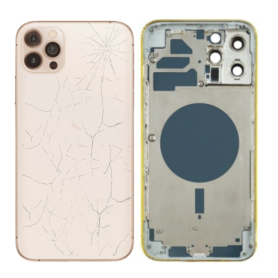
Empty Frame iPhone 13 Pro Max Gold (Original Disassembled) - Broken
Out-of-Stock
Key Features of Empty Frame iPhone 13 Pro Max Gold (Original Disassembled) - Broken Rear Glass


Original Frame Structure: This product features the original frame of the iPhone 13 Pro Max in a stunning gold finish, providing an authentic and premium look.


Genuine OEM Parts: Designed using genuine OEM components, ensuring compatibility and maintaining the expected high-quality standards of Apple products.


Broken Rear Glass: Please note that the rear glass is broken. This offers the potential for cost-effective repair or serves as an ideal project piece for customization enthusiasts.


Disassembled State: Comes in a disassembled form, making it perfect for educational purposes or for those looking to learn more about smartphone assembly and repair.


Custom Modification Potential: With its disassembled state and broken rear, this frame is an excellent canvas for custom modifications, allowing users to personalize their devices creatively.


Authentic Branding and Markings: Contains all the original branding, logos, and regulatory markings, ensuring an authentic aesthetic that matches the original device.


Perfect for Parts or Spares: Ideal for use as spare parts, particularly for repair shops or technicians needing genuine components for repairs.


Lightweight Design: Retains the lightweight yet robust structure characteristic of the iPhone 13 Pro Max, offering ease of handling and assembly.


Educational Tool: Serves as a useful tool for training purposes within technical repair programs or for personal learning experiences.


Eco-friendly Option: By re-purposing an existing product frame, this product supports eco-friendly practices by reducing electronic waste.


This item is perfect for technicians, hobbyists, or anyone interested in the repair and customization of Apple devices. Whether for parts, learning, or modification, it offers numerous applications and opportunities.
Out-of-Stock
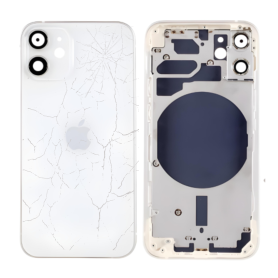
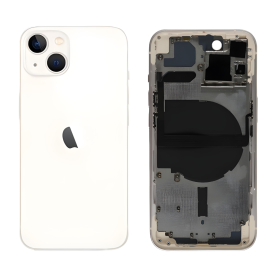
Empty Frame iPhone 12 White (Original Disassembled) - Broken
Out-of-Stock
Key Features of Empty Frame iPhone 12 White (Original Disassembled) Broken Rear Glass:


Original Frame Authenticity:

Sourced from genuine iPhone 12 devices, ensuring authenticity and original manufacturing standards.


Disassembled Part:

Provides essential original iPhone 12 frame components, suitable for repairs or educational purposes related to smartphone assembly.


Color Matching:

Finished in the classic iPhone 12 White, offering a seamless color match for White models and ensuring consistency for refurbishing tasks.


Ideal for Enthusiasts and Professionals:

Perfect for tech enthusiasts, repair technicians, and educators interested in exploring the internal design and structure of Apple products.


Environmentally Conscious Choice:

Encourages recycling and sustainable use of iPhone components, reducing electronic waste by reusing original parts.


Condition Note – Broken Rear Glass:

Includes a frame with broken rear glass, which can be replaced or used as-is for non-functional prototyping or display purposes.


Cost-Effective Repair Option:

Offers a budget-friendly option for those looking to refurbish iPhones with minor damage or upgrade components.


Hands-On Learning Tool:

Serves as an educational tool for learning about smartphone architecture and DIY repair techniques.


Flexibility for Custom Projects:

Provides an opportunity for customization projects, serving as a base for creative modifications or artistic displays.


Secure Shipping:

Carefully packaged to prevent further damage during transport, ensuring the frame remains intact upon delivery.


This product provides a tangible glimpse into the engineering and design of the iPhone 12, ideal for those seeking to understand or engage in smartphone repair and design projects.
Out-of-Stock
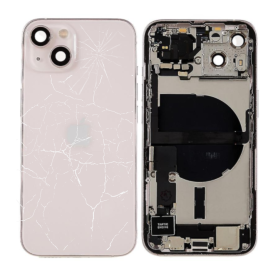
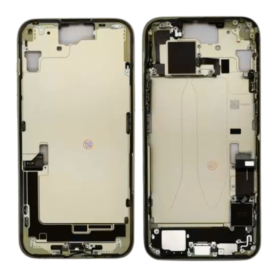
Empty Frame iPhone 13 mini Pink - (Original Disassembled) - Broken
Out-of-Stock
Key Features of Empty Frame iPhone 13 Mini Pink - (Original Disassembled) Broken Rear Glass


Original Framework: This product is crafted from the original disassembled framework of the iPhone 13 Mini, ensuring authenticity and precise alignment for components.


Distinctive Aesthetic: Featuring a charming pink hue, this empty frame retains the original colorway, offering a unique visual appeal for customization or repair projects.


Rear Glass Condition: The frame includes a broken rear glass, which makes it ideal for repair, refurbishment ventures, or creative upcycling projects. The broken glass provides an opportunity to replace or redesign according to personal needs or preferences.


Design Compatibility: Specifically tailored for the iPhone 13 Mini, this frame allows seamless compatibility with other original components, ensuring compatibility and ease of assembly.


Structural Integrity: Despite the rear glass damage, the frame maintains solid structural integrity, providing a reliable foundation for the installation of components such as the battery, logic board, and other modular parts.


Eco-Friendly Option: Utilizing this empty frame promotes sustainable practices by recycling and reusing valuable materials, contributing to environmental conservation.


Versatile Use Cases: Perfect for technicians, hobbyists, or artists interested in exploring creative modifications, art projects, or developing repair skills.


Cost-Effective Solution: An affordable alternative for repair professionals looking to rebuild and resell, or for personal use in assembling a functional device with replacement parts.


This empty frame is a practical and versatile solution for creative and technical endeavors, balancing cost-efficiency with originality.
Out-of-Stock
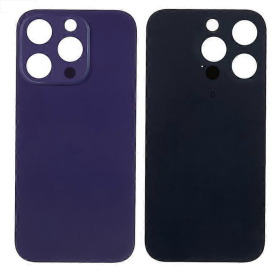
IPhone 14 Pro Max Purple Back Glass With (Large Hole) No Logo
Out-of-Stock
Key Features of iPhone 14 Pro Max Purple Back Glass (Large Hole, No Logo):


Premium Design: Crafted for those who appreciate style and elegance, this replacement back glass perfectly fits the design aesthetics of the iPhone 14 Pro Max, elevating its visual appeal with the eye-catching purple hue.


Color Precision: The vibrant and rich purple shade complements the sleek and modern design of the iPhone, allowing users to maintain a consistent color profile across their device.


High-Quality Material: Made from durable and high-grade glass, this back cover offers robust protection against scratches, cracks, and everyday wear and tear, ensuring long-lasting durability.


Perfect Fit & Finish: Specifically designed to accommodate the larger rear camera configuration, the precise large hole cut-out ensures seamless integration with the device’s components without compromising functionality.


Logo-Free Minimalism: Embrace a minimalist look with the no-logo design. This feature appeals to those who prefer a clean and uncluttered aesthetic, allowing the color and design of the phone to stand out.


Easy Installation: Designed for hassle-free installation, this back glass cover fits perfectly and securely, making it simple for users or technicians to replace without specialized tools.


Cost-Effective Replacement: An affordable solution for those in need of a replacement back cover, offering an original feel and appearance without the brand premium cost.


Environmentally Conscious Choice: By replacing only the back glass rather than the entire device, users contribute to reducing electronic waste, supporting a more sustainable approach to technology.

Out-of-Stock
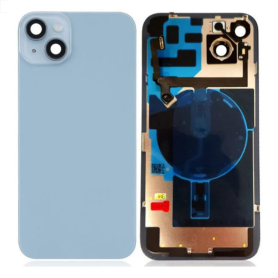
IPhone 14 Back Glass Blue With MagSafe (Large Hole) No Logo
Out-of-Stock
Product Name: iPhone 14 Back Glass Blue With MagSafe (Large Hole) No Logo
Key Features:


Premium Quality Material:

Crafted from high-quality, durable glass, this replacement back cover ensures longevity and robust protection for your iPhone 14.


Color Finish:

Features an elegant blue finish that enhances the aesthetic appeal of your device, providing a sleek and modern look.


MagSafe Compatibility:

Designed with a large hole to seamlessly integrate with MagSafe technology, ensuring secure attachment of MagSafe chargers and accessories without compromising functionality.


Precision Design:

Engineered for a perfect fit, it maintains the original profile of the iPhone 14, offering seamless alignment with the device's buttons, camera, and ports.


No Logo Design:

Offers a minimalist and clean appearance by excluding any branding logos, allowing the unique color and design to stand out.


Easy Installation:

Designed for straightforward installation, this back glass replacement can be self-installed with ease, making it a convenient option for those looking to refresh their phone’s look.


Enhanced Protection:

Provides a protective barrier against scratches, smudges, and minor impacts, helping to maintain the pristine condition of your phone.


Cost-Effective Solution:

A budget-friendly option for replacing damaged or worn-out back glass, restoring your device’s original look and feel without the need for a full phone replacement.


Eco-Friendly Packaging:

Packaged in sustainable materials, reflecting a commitment to reducing environmental impact and promoting eco-conscious practices.


Out-of-Stock
iPhone 15 Plus Yellow Chassis without Rear Glass without Battery (Original Disassembled) Grade A
Out-of-Stock
Key Features of iPhone 15 Plus Yellow Chassis without Rear Glass without Battery (Original Disassembled) Grade A:


Premium Grade A Quality:

This iPhone 15 Plus chassis is rated Grade A, ensuring it is in excellent pre-owned condition with minimal signs of wear and tear. It offers a reliable and authentic base for assembly or repair work.


Striking Yellow Finish:

The vibrant yellow color of the chassis stands out, making it a perfect choice for those looking to personalize or restore their iPhone 15 Plus with a unique and eye-catching design.


Original Disassembled Part:

As an authentic Apple part, this chassis guarantees compatibility and fit with other original components, maintaining the integrity and performance of your iPhone 15 Plus.


Comprehensive Assembly Compatibility:

Engineered to seamlessly integrate with existing components, the chassis allows for efficient assembly or repairs. It is designed specifically for the iPhone 15 Plus model, ensuring a perfect fit.


Lightweight Yet Durable Construction:

Made with high-quality materials, this chassis offers durability while maintaining the lightweight features of the iPhone 15 Plus, without compromising on the overall aesthetics or functionality.


No Rear Glass or Battery:

This product comes without the rear glass and battery, providing flexibility for users who wish to customize, upgrade, or replace these parts to their specifications or specific needs.


Ideal for Technicians and DIY Enthusiasts:

This chassis is an excellent choice for professional technicians or DIY enthusiasts working on repairs, restorations, or custom builds of the iPhone 15 Plus.


Cost-Effective Solution:

Opting for a disassembled original chassis can be a more economical approach for those looking to revive their iPhone 15 Plus without purchasing a completely new device.


Harness the potential of this original iPhone 15 Plus chassis to bring new life to your device or clients' phones with customizable options and reliable quality.
Out-of-Stock
iPhone 16 Plus Chassis without Rear Glass without Battery Overseas (Original Disassembled) Grade B
Out-of-Stock
Key Features of iPhone 16 Plus Chassis without Rear Glass without Battery Overseas (Original Disassembled) Grade B:


Original Disassembled Quality: This chassis is sourced from original iPhone 16 Plus devices, ensuring compatibility and authenticity for repair projects.


Grade B Condition: Items classified as Grade B show minor signs of previous use, such as small scratches or marks, but remain in excellent functional condition, offering a balance of cost-effectiveness and quality.


Comprehensive Structural Design: The chassis serves as the primary structural component of the iPhone 16 Plus, designed to support all internal parts securely, providing the necessary framework for the assembly process.


Precision Engineering: Manufactured to exact iPhone 16 Plus specifications for a seamless fit, ensuring all components align perfectly for reliable reassembly.


Compatibility Focus: Compatible exclusively with the iPhone 16 Plus model, making it an ideal component for targeted repairs or refurbishments.


Absence of Rear Glass and Battery: This version of the chassis comes without the rear glass and battery, allowing technicians the flexibility to customize and install preferred components as needed.


Professional Repair Oriented: Ideal for professional technicians and experienced DIY enthusiasts looking to undertake advanced phone repairs or custom modifications.


Global Sourcing: This product is available for overseas customers, facilitating international repairs and replacement projects with genuine parts.


Cost Efficiency: A practical and economical choice for those seeking original parts without investing in a full device, providing a sustainable option for extending the life of an iPhone 16 Plus.


Versatile Application: Suitable for use in both refurbishing pre-owned phones and assembling new units from standard parts, offering versatility for various technological needs.

Out-of-Stock
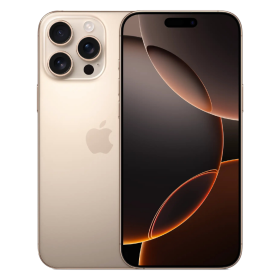
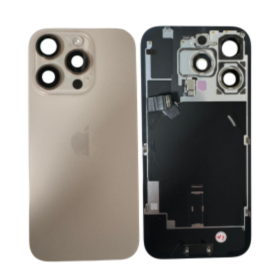
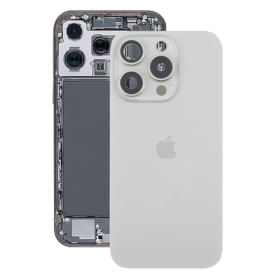
iPhone 16 Pro Max Titanium Sand Back Cover Glass (Original Disassembled) - Grade AB
Out-of-Stock
Key Features of iPhone 16 Pro Max Titanium Sand Back Cover Glass (Original Disassembled) - Grade AB


Material Authenticity: This back cover is crafted from original titanium sand glass, offering a seamless blend of durability and style. Its premium materials are derived from disassembled parts, ensuring genuine Apple quality and performance.


Grade AB Quality: Classified as Grade AB, this product exhibits minor cosmetic imperfections that are hardly noticeable, making it an ideal choice for those seeking high quality at a competitive price. The integrity and functionality remain uncompromised.


Precision Fit: Designed to perfectly align with the iPhone 16 Pro Max specifications, this back cover ensures a snug fit that upholds the original dimensions and aesthetics of your device. Enjoy easy installation and immediate enhancement without compromising on device compatibility.


Enhanced Protection: The titanium sand material not only adds a touch of elegance but also provides superior protection against scratches, dust, and everyday wear and tear. This ensures your investment stays safe and visually appealing over time.


Eco-Friendly Option: By utilizing disassembled components, this product is a sustainable choice that supports environmental conservation without sacrificing quality or style.


User-Centric Design: The back cover includes precise cutouts for easy access to all ports, buttons, and camera lenses, ensuring a seamless integration with your device's functionalities.


Professional Aesthetic: The sleek design and premium finish cater to professionals and style-conscious users who appreciate the fusion of elegance and functionality.


This iPhone 16 Pro Max Titanium Sand Back Cover Glass is ideal for businesses and discerning consumers looking for a reliable, stylish, and environmentally-friendly replacement option.
Out-of-Stock
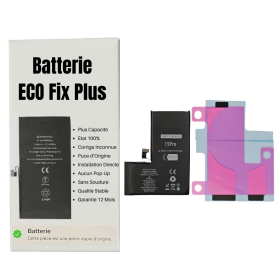
Battery iPhone 15 Pro (ECO Fix Plus) 130% Plus Durable - No Pop-up / Health 100%
Out-of-Stock

Use Repair Assistant to Finish an iPhone or iPad Repair

This Battery Without Logo

On an iPhone 12 or later running iOS 18, when a new Apple battery is installed,“Finish Repair” will appear next to Battery until you complete the repair using the Repair Assistant.


On an iPhone 12 or later running iOS 18, it is possible to reuse an original Apple battery on another iPhone of the same model.
The date of first use, capacity, and cycle count of your battery can be found in Settings > Battery > Battery Health.


How to Run Diagnostics & Finish Repair for iPhone Battery
1. Ensure your device is updated to iOS 18
2. Go to Settings > General > About > Parts & Service History
3. Tap "Restart & Finish Repair" to activate the Repair Assistant
4. Follow the on-screen instructions to complete the calibration
After completing this process, your battery will display 100% health, and there will be no pop-up warning about non-genuine parts.


Important Notes:

Your iPhone must be connected to Wi-Fi
Your battery level should be above 20%
If the process fails, restart your device and try again
If the repair is not completed, the battery may not function optimally, and some features (Face ID, Touch ID) may be disabled until calibration is finalized


Out-of-Stock
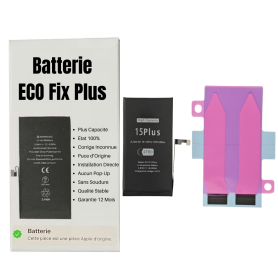
Battery iPhone 15 Plus (ECO Fix Plus) 130% Plus Durable - No Pop-up / Health 100%
Out-of-Stock

Use Repair Assistant to Finish an iPhone or iPad Repair

This Battery Without Logo

On an iPhone 12 or later running iOS 18, when a new Apple battery is installed,“Finish Repair” will appear next to Battery until you complete the repair using the Repair Assistant.


On an iPhone 12 or later running iOS 18, it is possible to reuse an original Apple battery on another iPhone of the same model.
The date of first use, capacity, and cycle count of your battery can be found in Settings > Battery > Battery Health.


How to Run Diagnostics & Finish Repair for iPhone Battery
1. Ensure your device is updated to iOS 18
2. Go to Settings > General > About > Parts & Service History
3. Tap "Restart & Finish Repair" to activate the Repair Assistant
4. Follow the on-screen instructions to complete the calibration
After completing this process, your battery will display 100% health, and there will be no pop-up warning about non-genuine parts.


Important Notes:

Your iPhone must be connected to Wi-Fi
Your battery level should be above 20%
If the process fails, restart your device and try again
If the repair is not completed, the battery may not function optimally, and some features (Face ID, Touch ID) may be disabled until calibration is finalized


Out-of-Stock
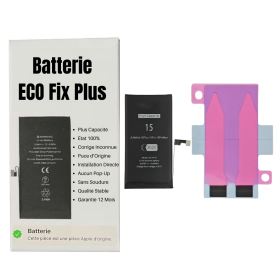
Battery iPhone 15 (ECO Fix Plus) 130% Plus Durable - No Pop-up / Health 100%
Out-of-Stock

Use Repair Assistant to Finish an iPhone or iPad Repair

This Battery Without Logo

On an iPhone 12 or later running iOS 18, when a new Apple battery is installed,“Finish Repair” will appear next to Battery until you complete the repair using the Repair Assistant.


On an iPhone 12 or later running iOS 18, it is possible to reuse an original Apple battery on another iPhone of the same model.
The date of first use, capacity, and cycle count of your battery can be found in Settings > Battery > Battery Health.


How to Run Diagnostics & Finish Repair for iPhone Battery
1. Ensure your device is updated to iOS 18
2. Go to Settings > General > About > Parts & Service History
3. Tap "Restart & Finish Repair" to activate the Repair Assistant
4. Follow the on-screen instructions to complete the calibration
After completing this process, your battery will display 100% health, and there will be no pop-up warning about non-genuine parts.


Important Notes:

Your iPhone must be connected to Wi-Fi
Your battery level should be above 20%
If the process fails, restart your device and try again
If the repair is not completed, the battery may not function optimally, and some features (Face ID, Touch ID) may be disabled until calibration is finalized


Out-of-Stock
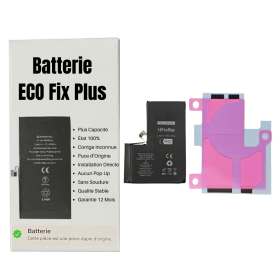
Battery iPhone 14 Pro Max (ECO Fix Plus) 130% Plus Durable - No Pop-up / Health 100%
Out-of-Stock

Use Repair Assistant to Finish an iPhone or iPad Repair

This Battery Without Logo

On an iPhone 12 or later running iOS 18, when a new Apple battery is installed,“Finish Repair” will appear next to Battery until you complete the repair using the Repair Assistant.


On an iPhone 12 or later running iOS 18, it is possible to reuse an original Apple battery on another iPhone of the same model.
The date of first use, capacity, and cycle count of your battery can be found in Settings > Battery > Battery Health.


How to Run Diagnostics & Finish Repair for iPhone Battery
1. Ensure your device is updated to iOS 18
2. Go to Settings > General > About > Parts & Service History
3. Tap "Restart & Finish Repair" to activate the Repair Assistant
4. Follow the on-screen instructions to complete the calibration
After completing this process, your battery will display 100% health, and there will be no pop-up warning about non-genuine parts.


Important Notes:

Your iPhone must be connected to Wi-Fi
Your battery level should be above 20%
If the process fails, restart your device and try again
If the repair is not completed, the battery may not function optimally, and some features (Face ID, Touch ID) may be disabled until calibration is finalized


Out-of-Stock
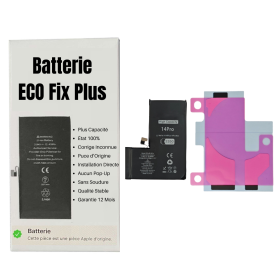
Battery iPhone 14 Pro (ECO Fix Plus) 130% Plus Durable - No Pop-up / Health 100%
Out-of-Stock

Use Repair Assistant to Finish an iPhone or iPad Repair

This Battery Without Logo

On an iPhone 12 or later running iOS 18, when a new Apple battery is installed,“Finish Repair” will appear next to Battery until you complete the repair using the Repair Assistant.


On an iPhone 12 or later running iOS 18, it is possible to reuse an original Apple battery on another iPhone of the same model.
The date of first use, capacity, and cycle count of your battery can be found in Settings > Battery > Battery Health.


How to Run Diagnostics & Finish Repair for iPhone Battery
1. Ensure your device is updated to iOS 18
2. Go to Settings > General > About > Parts & Service History
3. Tap "Restart & Finish Repair" to activate the Repair Assistant
4. Follow the on-screen instructions to complete the calibration
After completing this process, your battery will display 100% health, and there will be no pop-up warning about non-genuine parts.


Important Notes:

Your iPhone must be connected to Wi-Fi
Your battery level should be above 20%
If the process fails, restart your device and try again
If the repair is not completed, the battery may not function optimally, and some features (Face ID, Touch ID) may be disabled until calibration is finalized


Out-of-Stock
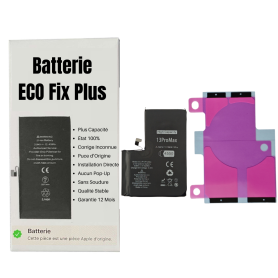
Battery iPhone 13 Pro Max (ECO Fix Plus) 130% Plus Durable - No Pop-up / Health 100%
Out-of-Stock

Use Repair Assistant to Finish an iPhone or iPad Repair

This Battery Without Logo

On an iPhone 12 or later running iOS 18, when a new Apple battery is installed,“Finish Repair” will appear next to Battery until you complete the repair using the Repair Assistant.


On an iPhone 12 or later running iOS 18, it is possible to reuse an original Apple battery on another iPhone of the same model.
The date of first use, capacity, and cycle count of your battery can be found in Settings > Battery > Battery Health.


How to Run Diagnostics & Finish Repair for iPhone Battery
1. Ensure your device is updated to iOS 18
2. Go to Settings > General > About > Parts & Service History
3. Tap "Restart & Finish Repair" to activate the Repair Assistant
4. Follow the on-screen instructions to complete the calibration
After completing this process, your battery will display 100% health, and there will be no pop-up warning about non-genuine parts.


Important Notes:

Your iPhone must be connected to Wi-Fi
Your battery level should be above 20%
If the process fails, restart your device and try again
If the repair is not completed, the battery may not function optimally, and some features (Face ID, Touch ID) may be disabled until calibration is finalized


Out-of-Stock
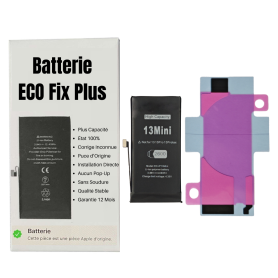
Battery iPhone 13 mini (ECO Fix Plus) 130% Plus Durable - No Pop-up / Health 100%
Out-of-Stock

Use Repair Assistant to Finish an iPhone or iPad Repair

This Battery Without Logo

On an iPhone 12 or later running iOS 18, when a new Apple battery is installed,“Finish Repair” will appear next to Battery until you complete the repair using the Repair Assistant.


On an iPhone 12 or later running iOS 18, it is possible to reuse an original Apple battery on another iPhone of the same model.
The date of first use, capacity, and cycle count of your battery can be found in Settings > Battery > Battery Health.


How to Run Diagnostics & Finish Repair for iPhone Battery
1. Ensure your device is updated to iOS 18
2. Go to Settings > General > About > Parts & Service History
3. Tap "Restart & Finish Repair" to activate the Repair Assistant
4. Follow the on-screen instructions to complete the calibration
After completing this process, your battery will display 100% health, and there will be no pop-up warning about non-genuine parts.


Important Notes:

Your iPhone must be connected to Wi-Fi
Your battery level should be above 20%
If the process fails, restart your device and try again
If the repair is not completed, the battery may not function optimally, and some features (Face ID, Touch ID) may be disabled until calibration is finalized


Out-of-Stock
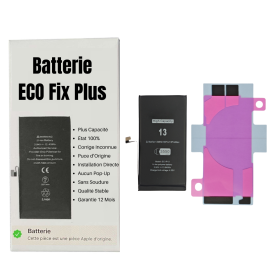
Battery iPhone 13 (ECO Fix Plus) Direct Installation - No Pop-up / Health 100%
Out-of-Stock

Use Repair Assistant to Finish an iPhone or iPad Repair

This Battery Without Logo

On an iPhone 12 or later running iOS 18, when a new Apple battery is installed,“Finish Repair” will appear next to Battery until you complete the repair using the Repair Assistant.


On an iPhone 12 or later running iOS 18, it is possible to reuse an original Apple battery on another iPhone of the same model.
The date of first use, capacity, and cycle count of your battery can be found in Settings > Battery > Battery Health.


How to Run Diagnostics & Finish Repair for iPhone Battery
1. Ensure your device is updated to iOS 18
2. Go to Settings > General > About > Parts & Service History
3. Tap "Restart & Finish Repair" to activate the Repair Assistant
4. Follow the on-screen instructions to complete the calibration
After completing this process, your battery will display 100% health, and there will be no pop-up warning about non-genuine parts.


Important Notes:

Your iPhone must be connected to Wi-Fi
Your battery level should be above 20%
If the process fails, restart your device and try again
If the repair is not completed, the battery may not function optimally, and some features (Face ID, Touch ID) may be disabled until calibration is finalized


Out-of-Stock
Battery iPhone 12 Pro Max (ECO Fix Plus) 130% Plus Durable - No Pop-up / Health 100%
Out-of-Stock

Use Repair Assistant to Finish an iPhone or iPad Repair

This Battery Without Logo

On an iPhone 12 or later running iOS 18, when a new Apple battery is installed,“Finish Repair” will appear next to Battery until you complete the repair using the Repair Assistant.


On an iPhone 12 or later running iOS 18, it is possible to reuse an original Apple battery on another iPhone of the same model.
The date of first use, capacity, and cycle count of your battery can be found in Settings > Battery > Battery Health.


How to Run Diagnostics & Finish Repair for iPhone Battery
1. Ensure your device is updated to iOS 18
2. Go to Settings > General > About > Parts & Service History
3. Tap "Restart & Finish Repair" to activate the Repair Assistant
4. Follow the on-screen instructions to complete the calibration
After completing this process, your battery will display 100% health, and there will be no pop-up warning about non-genuine parts.


Important Notes:

Your iPhone must be connected to Wi-Fi
Your battery level should be above 20%
If the process fails, restart your device and try again
If the repair is not completed, the battery may not function optimally, and some features (Face ID, Touch ID) may be disabled until calibration is finalized


Out-of-Stock
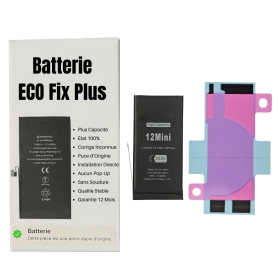
Battery iPhone 12 mini (ECO Fix Plus) 130% Plus Durable - No Pop-up / Health 100%
Out-of-Stock

Use Repair Assistant to Finish an iPhone or iPad Repair

This Battery Without Logo

On an iPhone 12 or later running iOS 18, when a new Apple battery is installed,“Finish Repair” will appear next to Battery until you complete the repair using the Repair Assistant.


On an iPhone 12 or later running iOS 18, it is possible to reuse an original Apple battery on another iPhone of the same model.
The date of first use, capacity, and cycle count of your battery can be found in Settings > Battery > Battery Health.


How to Run Diagnostics & Finish Repair for iPhone Battery
1. Ensure your device is updated to iOS 18
2. Go to Settings > General > About > Parts & Service History
3. Tap "Restart & Finish Repair" to activate the Repair Assistant
4. Follow the on-screen instructions to complete the calibration
After completing this process, your battery will display 100% health, and there will be no pop-up warning about non-genuine parts.


Important Notes:

Your iPhone must be connected to Wi-Fi
Your battery level should be above 20%
If the process fails, restart your device and try again
If the repair is not completed, the battery may not function optimally, and some features (Face ID, Touch ID) may be disabled until calibration is finalized


Out-of-Stock
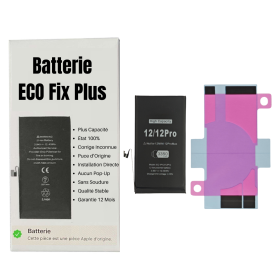
Battery iPhone 12 / 12 Pro (ECO Fix Plus) 130% Plus Durable - No Pop-up / 100% Condition
Out-of-Stock

Use Repair Assistant to Finish an iPhone or iPad Repair

This Battery Without Logo

On an iPhone 12 or later running iOS 18, when a new Apple battery is installed,“Finish Repair” will appear next to Battery until you complete the repair using the Repair Assistant.


On an iPhone 12 or later running iOS 18, it is possible to reuse an original Apple battery on another iPhone of the same model.
The date of first use, capacity, and cycle count of your battery can be found in Settings > Battery > Battery Health.


How to Run Diagnostics & Finish Repair for iPhone Battery
1. Ensure your device is updated to iOS 18
2. Go to Settings > General > About > Parts & Service History
3. Tap "Restart & Finish Repair" to activate the Repair Assistant
4. Follow the on-screen instructions to complete the calibration
After completing this process, your battery will display 100% health, and there will be no pop-up warning about non-genuine parts.


Important Notes:

Your iPhone must be connected to Wi-Fi
Your battery level should be above 20%
If the process fails, restart your device and try again
If the repair is not completed, the battery may not function optimally, and some features (Face ID, Touch ID) may be disabled until calibration is finalized


Out-of-Stock
iPhone 15 Rear Chassis without Rear Glass without Battery Blue with Charging Connector (Original Dismantled) Grade AB
Out-of-Stock
Key Features of iPhone 15 Rear Chassis without Rear Glass, without Battery in Blue with Charging Connector (Original Dismantled) Grade AB


Original Dismantled Quality: This product is an original Apple component, meeting high manufacturing standards to ensure compatibility and performance. It has been carefully dismantled and graded as AB, indicating minor wear but fully functional.


Precision Design: Crafted specifically for the iPhone 15, this rear chassis is tailored to house the internal components efficiently, ensuring a snug fit as per Apple's original design specifications.


Material and Finish: The chassis is made from high-grade aluminum, offering robust protection and durability. The elegant blue finish provides a premium aesthetic that aligns with the iPhone's sleek design language.


Integrated Charging Connector: Comes complete with the original charging connector, facilitating seamless connectivity and charging functionality.


Lightweight and Durable: Engineered to be both light and strong, the chassis offers excellent protection against physical impacts, safeguarding your device's internal components.


Ease of Installation: Designed for technicians and DIY enthusiasts, this chassis allows for straightforward installation or replacement of the existing rear section, without any modifications required.


Compatibility: Perfectly matches the dimensions and specifications of the iPhone 15, ensuring full compatibility with all internal components (please note: does not include rear glass or battery).


Sustainability: By choosing dismantled original parts, you're contributing to recycling efforts and reducing electronic waste.


This offering is ideal for repair shops, technicians, and individuals experienced in handling smartphone assemblies, providing a cost-effective solution for restoring the functionality and appearance of your iPhone 15.