
Apple
There are 3218 products.
€15.00
€87.60
€90.00
€34.20
€34.20
€34.20
€34.20
€34.20
€34.20

€83.40
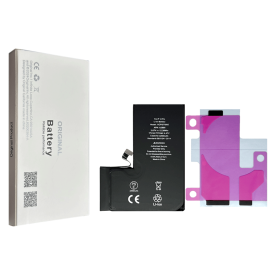
Battery iPhone 14 Pro (OEM) Diagnostic Show Genuine
Out-of-Stock
Use Repair Assistant to Finish an iPhone or iPad Repair
This Battery Without Logo
On an iPhone 12 or later running iOS 18, when a new Apple battery is installed, “Finish Repair” will appear next to Battery until you complete the repair using the Repair Assistant.
On an iPhone 12 or later running iOS 18, it is possible to reuse an original Apple battery on another iPhone of the same model.
The date of first use, capacity, and cycle count of your battery can be found in Settings > Battery > Battery Health.
How to Run Diagnostics & Finish Repair for iPhone Battery
1. Ensure your device is updated to iOS 18
2. Go to Settings > General > About > Parts & Service History
3. Tap "Restart & Finish Repair" to activate the Repair Assistant
4. Follow the on-screen instructions to complete the calibration
After completing this process, your battery will display 100% health, and there will be no pop-up warning about non-genuine parts.
Important Notes:
Your iPhone must be connected to Wi-Fi
Your battery level should be above 20%
If the process fails, restart your device and try again
If the repair is not completed, the battery may not function optimally, and some features (Face ID, Touch ID) may be disabled until calibration is finalized
€37.35
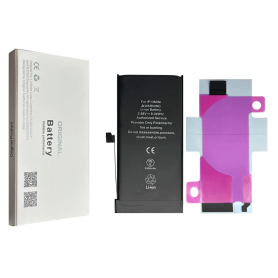
Battery iPhone 13 mini (OEM) Diagnostic Show Genuine
Out-of-Stock
Use Repair Assistant to Finish an iPhone or iPad Repair
This Battery Without Logo
On an iPhone 12 or later running iOS 18, when a new Apple battery is installed, “Finish Repair” will appear next to Battery until you complete the repair using the Repair Assistant.
On an iPhone 12 or later running iOS 18, it is possible to reuse an original Apple battery on another iPhone of the same model.
The date of first use, capacity, and cycle count of your battery can be found in Settings > Battery > Battery Health.
How to Run Diagnostics & Finish Repair for iPhone Battery
1. Ensure your device is updated to iOS 18
2. Go to Settings > General > About > Parts & Service History
3. Tap "Restart & Finish Repair" to activate the Repair Assistant
4. Follow the on-screen instructions to complete the calibration
After completing this process, your battery will display 100% health, and there will be no pop-up warning about non-genuine parts.
Important Notes:
Your iPhone must be connected to Wi-Fi
Your battery level should be above 20%
If the process fails, restart your device and try again
If the repair is not completed, the battery may not function optimally, and some features (Face ID, Touch ID) may be disabled until calibration is finalized
€31.35
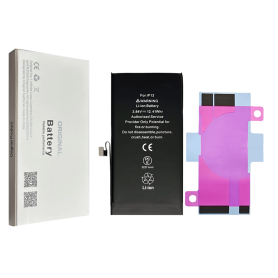
Battery iPhone 13 (OEM) Diagnostic Show Genuine
Out-of-Stock
Use Repair Assistant to Finish an iPhone or iPad Repair
This Battery Without Logo
On an iPhone 12 or later running iOS 18, when a new Apple battery is installed, “Finish Repair” will appear next to Battery until you complete the repair using the Repair Assistant.
On an iPhone 12 or later running iOS 18, it is possible to reuse an original Apple battery on another iPhone of the same model.
The date of first use, capacity, and cycle count of your battery can be found in Settings > Battery > Battery Health.
How to Run Diagnostics & Finish Repair for iPhone Battery
1. Ensure your device is updated to iOS 18
2. Go to Settings > General > About > Parts & Service History
3. Tap "Restart & Finish Repair" to activate the Repair Assistant
4. Follow the on-screen instructions to complete the calibration
After completing this process, your battery will display 100% health, and there will be no pop-up warning about non-genuine parts.
Important Notes:
Your iPhone must be connected to Wi-Fi
Your battery level should be above 20%
If the process fails, restart your device and try again
If the repair is not completed, the battery may not function optimally, and some features (Face ID, Touch ID) may be disabled until calibration is finalized
€31.35
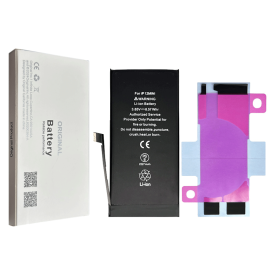
Battery iPhone 12 mini (OEM) Diagnostic Show Genuine
Out-of-Stock
Use Repair Assistant to Finish an iPhone or iPad Repair
This Battery Without Logo
On an iPhone 12 or later running iOS 18, when a new Apple battery is installed, “Finish Repair” will appear next to Battery until you complete the repair using the Repair Assistant.
On an iPhone 12 or later running iOS 18, it is possible to reuse an original Apple battery on another iPhone of the same model.
The date of first use, capacity, and cycle count of your battery can be found in Settings > Battery > Battery Health.
How to Run Diagnostics & Finish Repair for iPhone Battery
1. Ensure your device is updated to iOS 18
2. Go to Settings > General > About > Parts & Service History
3. Tap "Restart & Finish Repair" to activate the Repair Assistant
4. Follow the on-screen instructions to complete the calibration
After completing this process, your battery will display 100% health, and there will be no pop-up warning about non-genuine parts.
Important Notes:
Your iPhone must be connected to Wi-Fi
Your battery level should be above 20%
If the process fails, restart your device and try again
If the repair is not completed, the battery may not function optimally, and some features (Face ID, Touch ID) may be disabled until calibration is finalized
€28.35
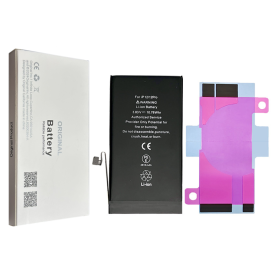
Battery iPhone 12 / 12 Pro (OEM) Diagnostic Show Genuine
Out-of-Stock
Use Repair Assistant to Finish an iPhone or iPad Repair
This Battery Without Logo
On an iPhone 12 or later running iOS 18, when a new Apple battery is installed,“Finish Repair” will appear next to Battery until you complete the repair using the Repair Assistant.
On an iPhone 12 or later running iOS 18, it is possible to reuse an original Apple battery on another iPhone of the same model.
The date of first use, capacity, and cycle count of your battery can be found in Settings > Battery > Battery Health.
How to Run Diagnostics & Finish Repair for iPhone Battery
1. Ensure your device is updated to iOS 18
2. Go to Settings > General > About > Parts & Service History
3. Tap "Restart & Finish Repair" to activate the Repair Assistant
4. Follow the on-screen instructions to complete the calibration
After completing this process, your battery will display 100% health, and there will be no pop-up warning about non-genuine parts.
Important Notes:
Your iPhone must be connected to Wi-Fi
Your battery level should be above 20%
If the process fails, restart your device and try again
If the repair is not completed, the battery may not function optimally, and some features (Face ID, Touch ID) may be disabled until calibration is finalized
€28.35
€81.60
€126.00
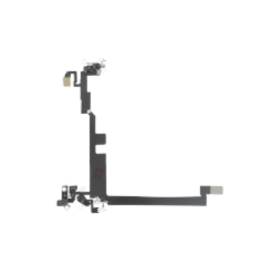
Antenna iPhone 16 Pro Max
Out-of-Stock
€2.75
€22.85
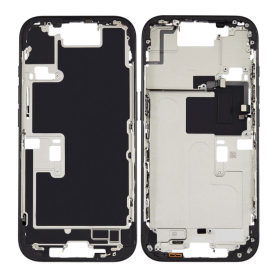
iPhone 16 Pro Rear Chassis without Rear Glass without Battery Titanium Black (Original Disassembled) Grade B
Out-of-Stock
Key Features of iPhone 16 Pro Rear Chassis (Original Disassembled) - Titanium Black, Grade B
Original Disassembled Part: This rear chassis is sourced from an original iPhone 16 Pro, ensuring authentic Apple components and material quality, specifically matched to the iPhone's exact standards.
Premium Titanium Black Finish: The chassis boasts a sophisticated Titanium Black color, offering a sleek and luxurious look that complements the high-end aesthetic of the iPhone 16 Pro.
High-Quality Grade B Condition: While previously used, this chassis falls under Grade B, meaning it might have minor cosmetic imperfections that do not affect functionality. It's a cost-effective option for repairs and refurbishments.
Precision Design: Engineered to perfectly fit and align with the iPhone 16 Pro's internal components, ensuring compatibility and maintaining the device's structural integrity during assembly.
Excludes Rear Glass and Battery: Note that this part does not include the rear glass panel or battery. It offers flexibility for technicians and users seeking to utilize existing components or replace them separately.
Ideal for Repair and Refurbishment: Perfect for professional technicians or DIY enthusiasts looking to repair or refurbish an iPhone 16 Pro, this part supports sustainability by enhancing the usability of existing devices.
Cost-Effective Solution: By opting for an original disassembled part, benefit from the balance of quality and affordability, significantly reducing repair costs without sacrificing reliability.
Eco-Friendly Choice: Reusing original components aligns with eco-conscious practices, reducing waste and promoting the efficient use of resources.
Embrace the blend of quality, functionality, and sustainability with this original iPhone 16 Pro rear chassis component. Suitable for those who strive for excellence in smartphone restoration.
Original Disassembled Part: This rear chassis is sourced from an original iPhone 16 Pro, ensuring authentic Apple components and material quality, specifically matched to the iPhone's exact standards.
Premium Titanium Black Finish: The chassis boasts a sophisticated Titanium Black color, offering a sleek and luxurious look that complements the high-end aesthetic of the iPhone 16 Pro.
High-Quality Grade B Condition: While previously used, this chassis falls under Grade B, meaning it might have minor cosmetic imperfections that do not affect functionality. It's a cost-effective option for repairs and refurbishments.
Precision Design: Engineered to perfectly fit and align with the iPhone 16 Pro's internal components, ensuring compatibility and maintaining the device's structural integrity during assembly.
Excludes Rear Glass and Battery: Note that this part does not include the rear glass panel or battery. It offers flexibility for technicians and users seeking to utilize existing components or replace them separately.
Ideal for Repair and Refurbishment: Perfect for professional technicians or DIY enthusiasts looking to repair or refurbish an iPhone 16 Pro, this part supports sustainability by enhancing the usability of existing devices.
Cost-Effective Solution: By opting for an original disassembled part, benefit from the balance of quality and affordability, significantly reducing repair costs without sacrificing reliability.
Eco-Friendly Choice: Reusing original components aligns with eco-conscious practices, reducing waste and promoting the efficient use of resources.
Embrace the blend of quality, functionality, and sustainability with this original iPhone 16 Pro rear chassis component. Suitable for those who strive for excellence in smartphone restoration.
€100.80
€162.00
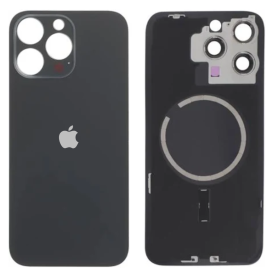
€162.00
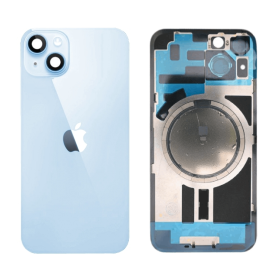
€140.40
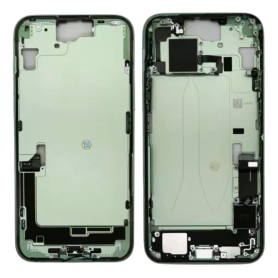
Back Cover Housing iPhone 15 Plus without Back Glass Green without Battery (Original Dismantled) Grade B
Out-of-Stock
Key Features of the Back Cover Housing for iPhone 15 Plus (Green, Original Dismantled, Grade B)
Compatibility: Specifically designed for the iPhone 15 Plus, ensuring a perfect fit and seamless integration with your device's internal components.
Original Dismantled Part: Sourced from original iPhones, this product maintains the highest authenticity and quality standards, providing reliability and the same look and feel as your phone's original housing.
Eco-Friendly Option: By opting for dismantled parts, you contribute to environmental sustainability by reducing e-waste and promoting the reuse of genuine iPhone components.
Aesthetic Design: The vibrant green color adds a striking, unique appearance, allowing you to refresh your phone with a rare colorway not commonly available in the market.
No Back Glass or Battery: This model excludes the back glass and battery, offering flexibility for those who only need housing replacement, making it ideal for professional repair services or DIY enthusiasts.
Grade B Quality: While Grade B indicates minor cosmetic imperfections, such as small scratches or slight wear, it maintains full structural integrity and functionality, providing a cost-effective solution without compromising performance.
Precision Engineering: Maintains exact cutouts and dimensions for easy access to all ports, buttons, and features, ensuring no hindrance to your device's operation.
Cost-Effective Solution: Ideal for affordable repairs or refurbishments, helping restore your iPhone's appearance and functionality without the premium price tag of new parts.
Compatibility: Specifically designed for the iPhone 15 Plus, ensuring a perfect fit and seamless integration with your device's internal components.
Original Dismantled Part: Sourced from original iPhones, this product maintains the highest authenticity and quality standards, providing reliability and the same look and feel as your phone's original housing.
Eco-Friendly Option: By opting for dismantled parts, you contribute to environmental sustainability by reducing e-waste and promoting the reuse of genuine iPhone components.
Aesthetic Design: The vibrant green color adds a striking, unique appearance, allowing you to refresh your phone with a rare colorway not commonly available in the market.
No Back Glass or Battery: This model excludes the back glass and battery, offering flexibility for those who only need housing replacement, making it ideal for professional repair services or DIY enthusiasts.
Grade B Quality: While Grade B indicates minor cosmetic imperfections, such as small scratches or slight wear, it maintains full structural integrity and functionality, providing a cost-effective solution without compromising performance.
Precision Engineering: Maintains exact cutouts and dimensions for easy access to all ports, buttons, and features, ensuring no hindrance to your device's operation.
Cost-Effective Solution: Ideal for affordable repairs or refurbishments, helping restore your iPhone's appearance and functionality without the premium price tag of new parts.
€67.20
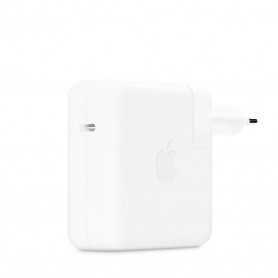
USB-C 30W Power Adapter - Bulk Used (Apple)
Out-of-Stock
Contenu du coffret : Adaptateur secteur USB-C 30 W Apple
Caractéristiques techniques : USB-C
Modèles de MacBook Air commercialisés à partir de 2018
Caractéristiques techniques : USB-C
Modèles de MacBook Air commercialisés à partir de 2018
€52.80
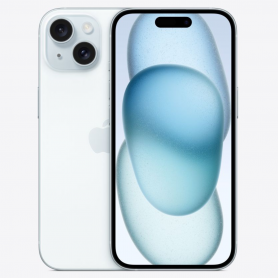
iPhone 15 128GB Blue - Grade AB
Out-of-Stock
€646.80
€126.36